Checkup
A health score and a short list of recommendations. Ignore what you want to keep.
 SpeedyMac
Coming soon
SpeedyMac
Coming soon
Find the junk. Free the space. Keep everything that matters.
macOS 14 or later · Apple silicon and Intel
* A checkup usually takes about 20 to 30 seconds on a recent Mac. The time depends on your Mac, how many files it has, and what you choose to clean. Large cleanups can take longer.
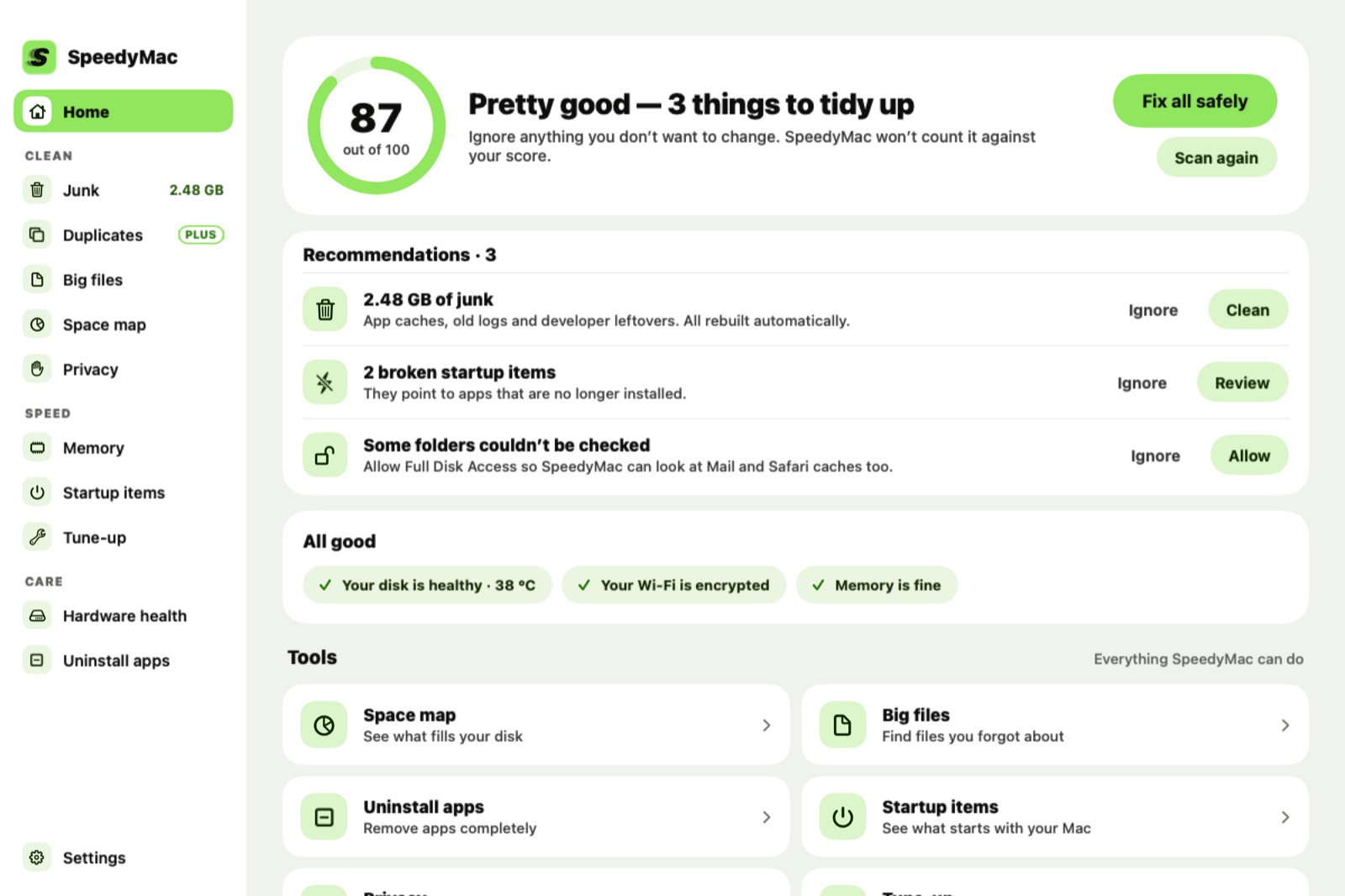
A checkup looks at junk, startup items, memory, your disk’s health and your Wi‑Fi, then gives you a short list of things to fix. Ignore anything you want to keep.
A health score and a short list of recommendations. Ignore what you want to keep.
App caches, logs, old installers, screenshots and mail attachments, each with its reason.
Clear browsing history and cookies in Safari, Chrome, Edge and Brave. Bookmarks stay.
SSD temperature, wear and errors, plus battery capacity and cycles on laptops.
See what fills your disk, one folder at a time, and move big things to the Trash.
Remove apps with their leftover files. Apple’s own apps are protected.
Find copies and look-alike shots. One copy of everything is always kept.
CPU, memory, disk, battery and network at a glance, with automatic checkups.
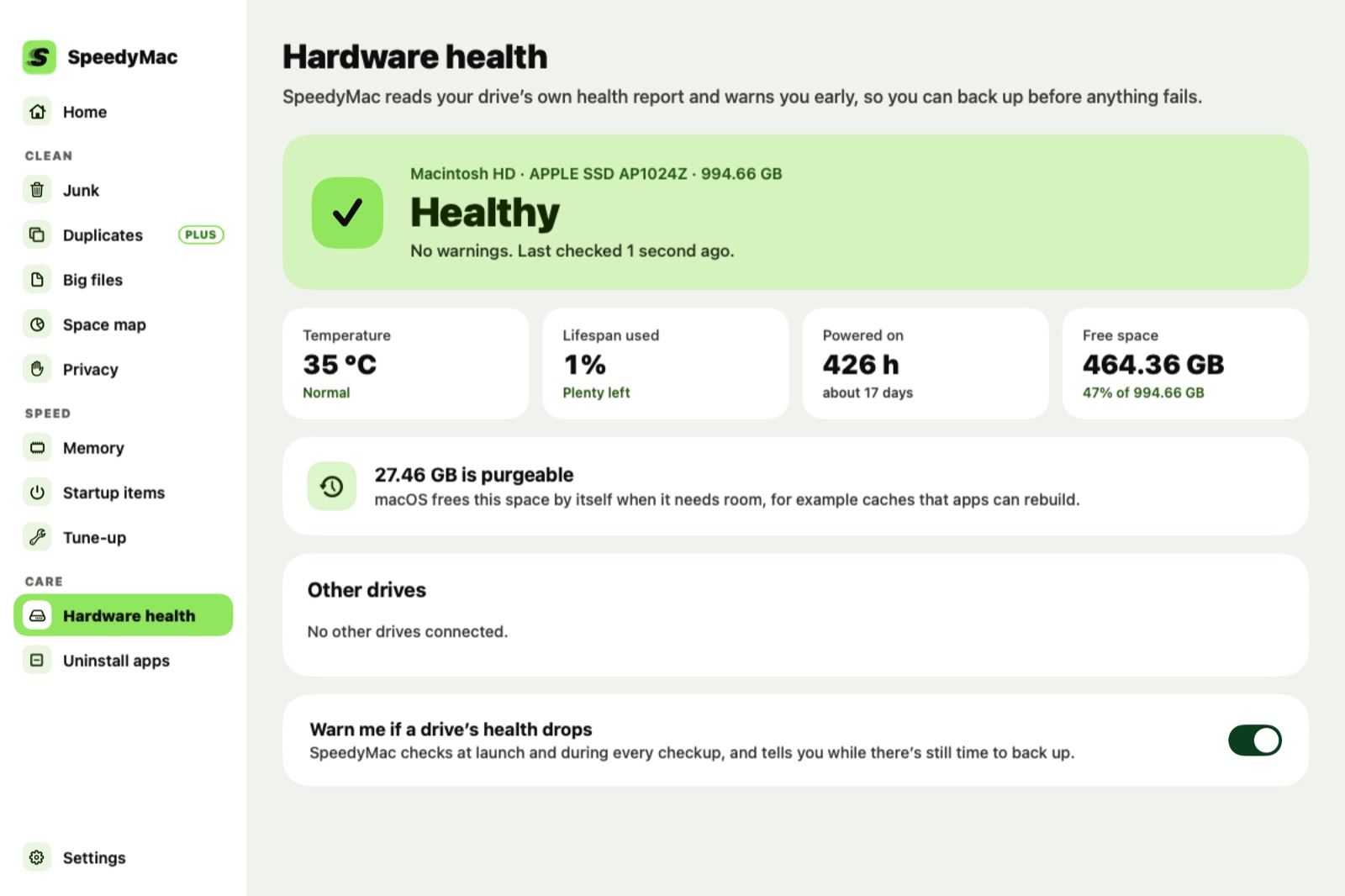
SpeedyMac reads your SSD’s own health report: temperature, wear and errors. If it gets worse, you get a warning while there is still time to back up.
The free version cleans for real. No trial clock, no nagging.
$0
$19.99 once
Secure checkout by Lemon Squeezy · 30-day refund · One Mac per licence
Every item comes from a rule that explains why it is safe. Your documents, photos, mail and keychains are protected, and files go to the Trash first so you can put them back.
No. Scans run on your Mac. SpeedyMac only goes online to check for updates and, for Plus, to confirm your licence key. See the privacy policy.
macOS protects some folders, such as Mail and Safari data. Without access SpeedyMac still works. It skips those folders and tells you so.
One Mac per licence. To move it, choose Deactivate this Mac in Settings, then enter the key on the new Mac.
Yes. Ask within 30 days of purchase for a full refund, no questions asked. See refunds.